
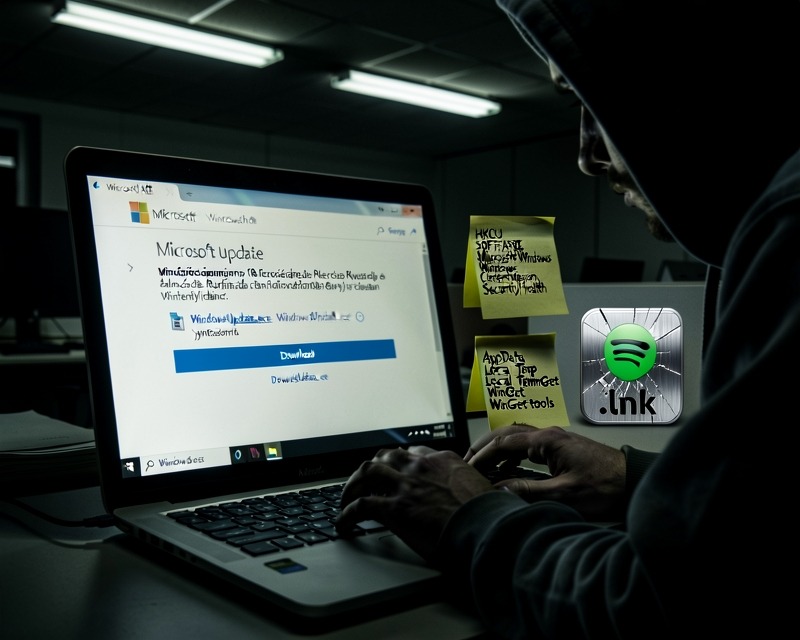
The latest threat landscape feature a highly convincing fake Microsoft support website that is designed to deliver a password‑stealing malware bundle. The campaign, first spotted on microsoft-update.support, masquerades as an official Windows update portal and lures users into downloading what appears to be a legitimate cumulative update for Windows 24H2. The entire operation is engineered to look authentic and bypass both user vigilance and security tooling.
Key Tactics & Techniques
- Phishing Lure – The domain microsoft-update.support is a classic typosquat that mimics Microsoft’s brand. The site is fully translated into French, targeting French‑speaking users, and presents a plausible KB article number along with a large blue download button.
- Legitimate Installer – The download is a Windows Installer package (WindowsUpdate 1.0.0.msi) built with WiX Toolset 4.0.0.5512. File properties are spoofed to show an author of “Microsoft” and a title of “Installation Database.” The MSI size is 83 MB.
- Electron Wrapper – Upon execution, the MSI installs an Electron application (WindowsUpdate.exe) to the user’s AppData folder. The executable is a renamed copy of the standard Electron shell and does not trigger antivirus detections.
- Python Runtime Deployment – WindowsUpdate.exe spawns a process named _winhost.exe, which is actually a renamed Python 3.10 interpreter. It unpacks a full Python runtime into
C:\Users\and loads several data‑stealing packages such as pycryptodome, psutil, pywin32, and PythonForWindows.\AppData\Local\Temp\WinGet\tools - Obfuscated JavaScript – The core stealer logic resides in two heavily obfuscated JavaScript files bundled inside the Electron app. One file (~7 MB) handles credential harvesting, encryption (PBKDF2, SHA‑256, AES), and a campaign expiry check. The second (~1 MB) targets Discord by intercepting login tokens and payment details.
- Persistence Mechanisms – The malware writes a registry entry
HKCU\SOFTWARE\Microsoft\Windows\CurrentVersion\Run\SecurityHealthpointing to WindowsUpdate.exe. It also drops a shortcut named Spotify.lnk into the user’s Startup folder, both of which look legitimate. - Command‑and‑Control & Exfiltration – The payload contacts several C2 endpoints:
datawebsync-lvmv.onrender.comandsync-service.system-telemetry.workers.dev. For data exfiltration, it uploads stolen credentials tostore8.gofile.io, a file‑sharing service that leaves little trace. - Defense Evasion – The malware kills security tools and competing malware using
taskkill.exebefore starting its collection routine. It also performs IP reconnaissance viawww.myexternalip.comandip-api.com.
Indicators of Compromise (IOCs)
- File Hashes – WindowsUpdate.exe: 13c97012b0df84e6491c1d8c4c5dc85f35ab110d067c05ea503a75488d63be60; AppLauncher.vbs: c94de13f548ce39911a1c55a5e0f43cddd681deb5a5a9c4de8a0dfe5b082f650
- Domains – microsoft-update.support, datawebsync-lvmv.onrender.com, sync-service.system-telemetry.workers.dev, store8.gofile.io, www.myexternalip.com, ip-api.com
- Registry – HKCU\SOFTWARE\Microsoft\Windows\CurrentVersion\Run\SecurityHealth
- File System – C:\Users\
\AppData\Local\Programs\WindowsUpdate\WindowsUpdate.exe, C:\Users\ \AppData\Local\Programs\WindowsUpdate\AppLauncher.vbs, C:\Users\ \AppData\Roaming\Microsoft\Windows\Start Menu\Programs\Startup\Spotify.lnk
Why French Users Are Targeted
France has experienced a cascade of data breaches in recent years, releasing personal data to the public domain. Attackers exploit this data to craft highly convincing phishing pages that match the victim’s ISP and personal details, dramatically increasing the likelihood of credential theft.
Mitigation Recommendations
- Verify Update Sources – Always use the built‑in Windows Update or the Microsoft Update Catalog. Avoid downloading update packages from external sites.
- Inspect Registry Entries – Check HKCU\SOFTWARE\Microsoft\Windows\CurrentVersion\Run for unexpected entries such as SecurityHealth pointing to unknown executables.
- Remove Suspicious Startup Items – Delete any unfamiliar .lnk shortcuts in the Startup folder, especially those mimicking known applications.
- Delete Malware Artifacts – Remove the
WindowsUpdatefolder from AppData and the temporary Python tools directory. - Change Passwords – Reset all passwords stored in browsers and other applications. Assume credentials may have been compromised.
- Enable Two‑Factor Authentication – Prioritize email, financial, and other critical accounts.
- Run Behavioural Antivirus Scans – Use up‑to‑date anti‑malware solutions with behavioural detection capabilities.
Best Practices for Safe Windows Updates
- Always launch updates through Start → Settings → Windows Update.
- If you need a manual update, download it from
catalog.update.microsoft.comonly. - Exercise caution with unsolicited notifications urging immediate updates; verify through official channels.
- Enable automatic updates to reduce the risk of falling for fake update pages.
