
Threat Overview
The latest threat report from AlienVault outlines a sophisticated voicemail‑themed phishing campaign that targets Microsoft 365 users. Attackers send emails that appear to be legitimate voicemail notifications from well‑known vendors such as DocuSign, Outlook or Google. Inside the email is an HTML attachment that looks harmless but contains embedded code designed to hijack active OAuth sessions and steal authentication tokens.
Attack Vectors
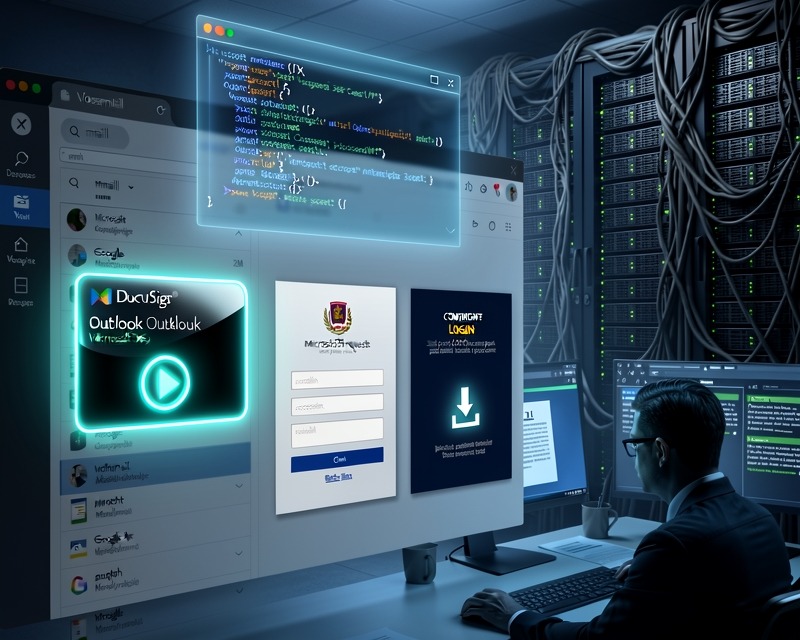
The kit employs multiple convergent tactics. The first vector uses a fake voicemail notification with a play button; when clicked, it launches a silent OAuth 2.0 request that includes the prompt=none parameter, allowing the attacker to capture an existing session token if the victim is already logged into M365. If no active session exists, the same click redirects the user to credential harvesters hosted on compromised infrastructure, including a Turkish domain with over 100 active campaign directories.
Technical Details of OAuth Exploitation
The core of the operation relies on exploiting the OAuth flow. By embedding an invisible iframe that points to the Microsoft authorization endpoint with scope requests for user information and access to mailbox data, the attacker forces the browser to silently authenticate using the victim’s existing session cookies. Because the prompt=none flag tells the server not to display a login page, the request succeeds without prompting the user, and the resulting token is then exfiltrated back to the attackers’ control servers.
Credential Harvesting Mechanism
When no prior Microsoft session is detected, the attacker’s script redirects the victim to a credential phishing portal that mimics the login screens of DocuSign, Outlook and Google. The UI is intentionally indistinguishable from official portals; it includes real‑looking logos, input fields, and even session‑based visual cues such as the user’s name in the header. Once credentials are entered, they are immediately captured and stored on a compromised server that the threat group maintains.
RMM Delivery Disguised as Document Viewer
The phishing kit also bundles Remote Monitoring and Management (RMM) payloads disguised as harmless document viewers. After the user interacts with the play button, a secondary HTML file is rendered containing a script that silently downloads and executes an RMM agent. The agent presents itself as a standard office viewer, prompting the user to “open” a PDF or Word file. In reality, it installs persistence mechanisms and opens a back‑door for remote control.
Operational Footprint & Infrastructure
The attackers operate from a consolidated infrastructure that hosts over 1,200 distinct campaign elements. Their command-and-control domain is hosted on Turkish servers and can serve more than a hundred separate phishing campaigns simultaneously. The breadth of the operation suggests a Phishing-as-a-Service model, making it difficult for defenders to attribute or block all vectors with a single rule set.
Defensive Recommendations
Security teams should implement multi‑factor authentication across all Microsoft 365 accounts and enforce conditional access policies that alert on silent OAuth requests. Educate users about the risk of clicking play buttons in email attachments, especially those claiming to be voicemail notifications. Deploy email filtering solutions capable of detecting HTML attachments with hidden iframes or scripts that trigger OAuth flows. Finally, maintain an up‑to‑date inventory of all RMM tools and monitor for anomalous installations that resemble document viewers.
