
Overview
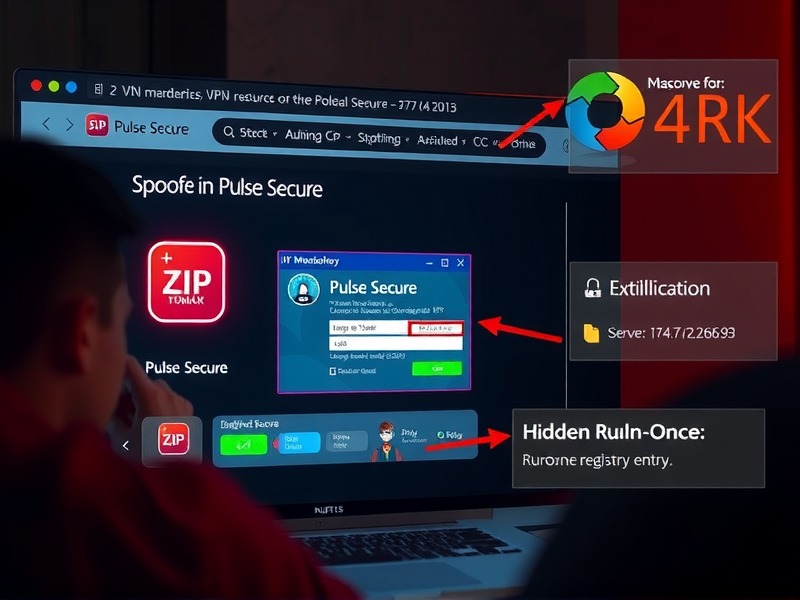
The Storm-2561 threat actor has launched a credential‑stealing operation that leverages search engine optimization (SEO) poisoning to distribute counterfeit virtual private network (VPN) clients. By manipulating search results for popular VPN titles such as Pulse Secure and Fortinet, the attackers lure users into downloading a ZIP archive that contains a malicious installer. Once executed, the fake VPN client presents a convincing login dialog, captures the entered credentials, and exfiltrates the data to a remote command‑and‑control (C2) server controlled by the adversaries.
Attack Chain
Initial Access – SEO Manipulation
Through aggressive SEO tactics, Storm-2561 pushes malicious domains to the top of search results for queries like “Pulse VPN download” and “Fortinet client”. These sites replicate the look and feel of legitimate vendor pages, but host a ZIP file that contains the malicious installer.
Delivery – Malicious ZIP
The ZIP archive is hosted on an attacker‑controlled GitHub repository: hxxps://github[.]com/latestver/vpn/releases/download/vpn-client2/VPN-CLIENT.zip. It is downloaded by the victim when they click the “Download” button on the spoofed page.
Execution – Fake VPN Installer
Inside the ZIP lies an MSI installer that mimics a legitimate Pulse Secure setup. The installer drops a process named Pulse.exe and two DLLs – dwmapi.dll and inspector.dll – into a directory that mirrors the official Pulse Secure installation path (C:\ProgramData\Pulse Secure). All files are signed with a legitimate certificate from Taiyuan Lihua Near Information Technology Co., Ltd., which was later revoked.
Credential Theft – Fake Login UI
When the user launches the installer, a dialog that looks identical to the real Pulse Secure client appears. The victim enters their VPN username and password, which the malicious process captures and forwards to the attacker’s C2 endpoint (194[.]76[.]226[.]93:8080). The data is sent in cleartext, making the exfiltration straightforward.
Persistence – RunOnce Registry
During installation the malware writes a RunOnce registry entry so that Pulse.exe launches automatically on system reboot, ensuring a persistent foothold.
Defense Evasion – Post‑Theft Redirection
After harvesting credentials, the fake client displays a convincing error message and instructs the user to download and install the legitimate VPN client from the vendor’s website. In some instances, the malware opens the user’s browser and redirects them to the official site, masking the compromise and allowing the legitimate connection to function normally.
Indicators of Compromise
• SHA-256 57a50a1c04254df3db638e75a64d5dd3b0d6a460829192277e252dc0c157a62f – ZIP file from the GitHub repository.
• SHA-256 862f004679d3b142d9d2c729e78df716aeeda0c7a87a11324742a5a8eda9b557 – Suspicious MSI installer.
• SHA-256 6c9ab17a4aff2cdf408815ec120718f19f1a31c13fc5889167065d448a40dfe6 – dwmapi.dll.
• SHA-256 6129d717e4e3a6fb4681463e421a5603b640bc6173fb7ba45a41a881c79415ca – inspector.dll.
• IP 194[.]76[.]226[.]93 – Command‑and‑control server.
• Domains such as vpn-fortinet[.]com, ivanti-vpn[.]org, and vpn-connection[.]pro are associated with initial access or data exfiltration.
Defensive Recommendations
- Enable cloud‑delivered protection in Microsoft Defender Antivirus or an equivalent product to block newly emerging variants.
2. Run endpoint detection and response (EDR) in block mode; it can quarantine malicious artifacts even when the host antivirus is in passive mode.
3. Enforce network protection and web protection in Microsoft Defender for Endpoint to filter malicious URLs and sites.
4. Encourage the use of browsers with SmartScreen, which can detect and block phishing sites and malicious downloads.
5. Deploy multi‑factor authentication (MFA) for all accounts, and disable password caching in browsers on managed devices.
6. Apply the attack‑surface reduction rule to block executable files that do not meet prevalence, age, or trusted‑list criteria.
Microsoft Defender Detection and Hunting Guidance
Microsoft Defender for Endpoint identifies the following behaviors:
• Execution of the malicious MSI and DLLs (Trojan:Win32/Malgent, TrojanSpy:Win64/Hyrax).
• Unexpected DLL loading during installation (Malware: dwmapi.dll).
• Persistence via the RunOnce registry key (ASEP anomaly).
Advanced hunting queries can locate files signed by Taiyuan Lihua Near Information Technology Co., Ltd. or DLLs dropped into Pulse Secure directories.
Threat Intelligence and Further Resources
For a detailed analysis and up‑to‑date indicators, visit the Microsoft Threat Intelligence blog: hxxps://www[.]microsoft[.]com/en-us/security/blog/2026/03/12/storm-2561-uses-seo-poisoning-to-distribute-fake-vpn-clients-for-credential-theft. Additional information is available on AlienVault OTX at hxxps://otx[.]alienvault[.]com/pulse/69b7da9f7950cc3e720bfb13.
